
Teleport an app
Bring an app from this machine into a Space: install it there, open your files in it, or move its signed-in state, with a consent screen for everything that leaves.
Bring an app from this machine into a Space: install it there, open your files in it, or move its signed-in state, with a consent screen for everything that leaves.
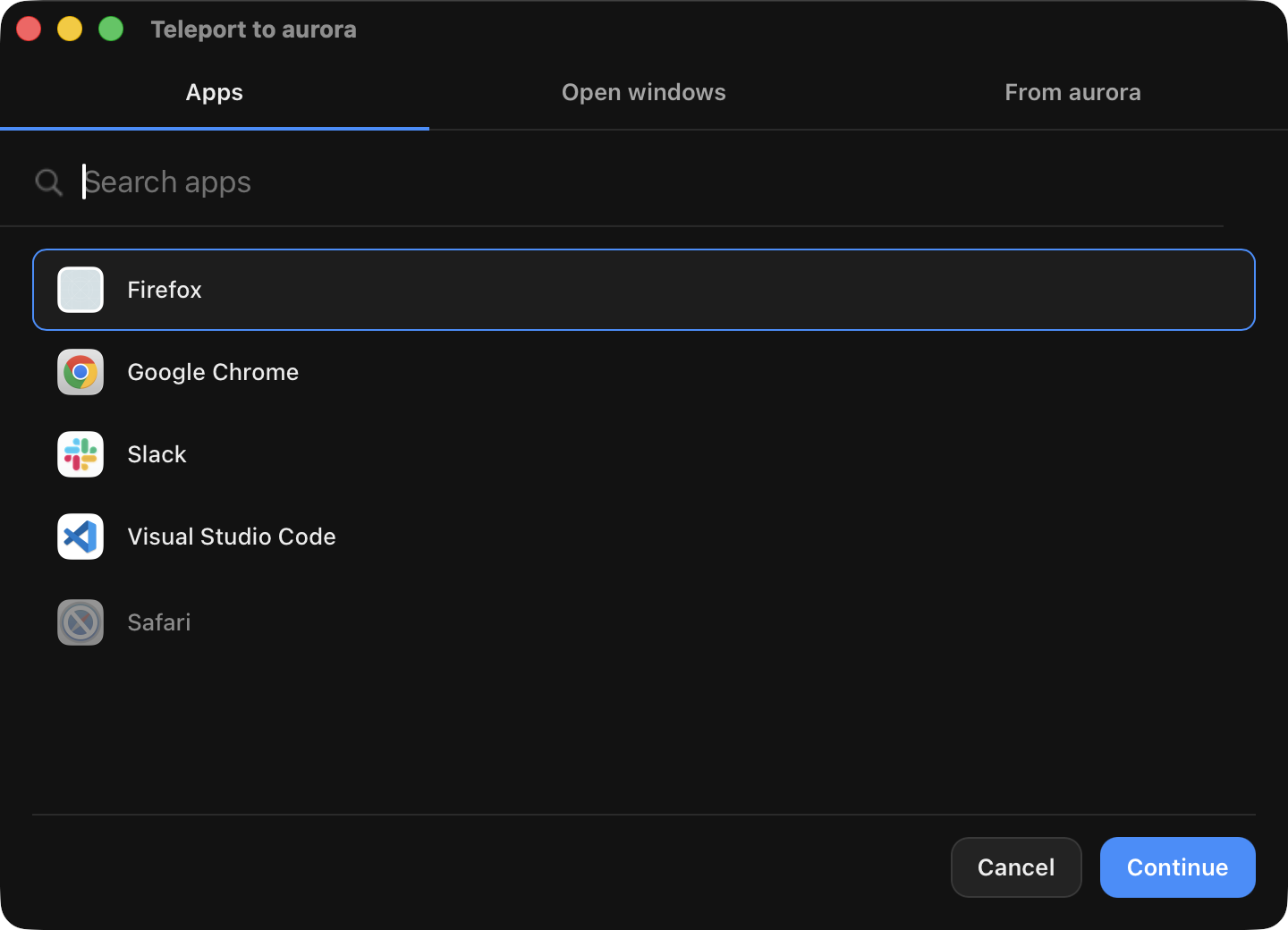
Teleport an app lists every app installed on this machine and says what teleport can do with each one in a Space:
| Level | What happens in the Space | Moves |
|---|---|---|
| Full | the app is there, and a provider can import its signed-in state | the app; the app with files; the app with its state |
| Install only | the app is installed from the pinned, checksum-verified install manifest, and opens empty or with your files | the app; the app with files |
| Unsupported | shown disabled, with the reason (for example "not published for aarch64 Linux") | nothing |
Full today: firefox, chrome, slack, discord, vscode, notion,
unity-hub, steam, whatsapp (macOS) and claude-code. Install only:
Blender (x86_64). Apps come from /Applications and ~/Applications on
macOS, .desktop entries on Linux and the Start Menu on Windows.
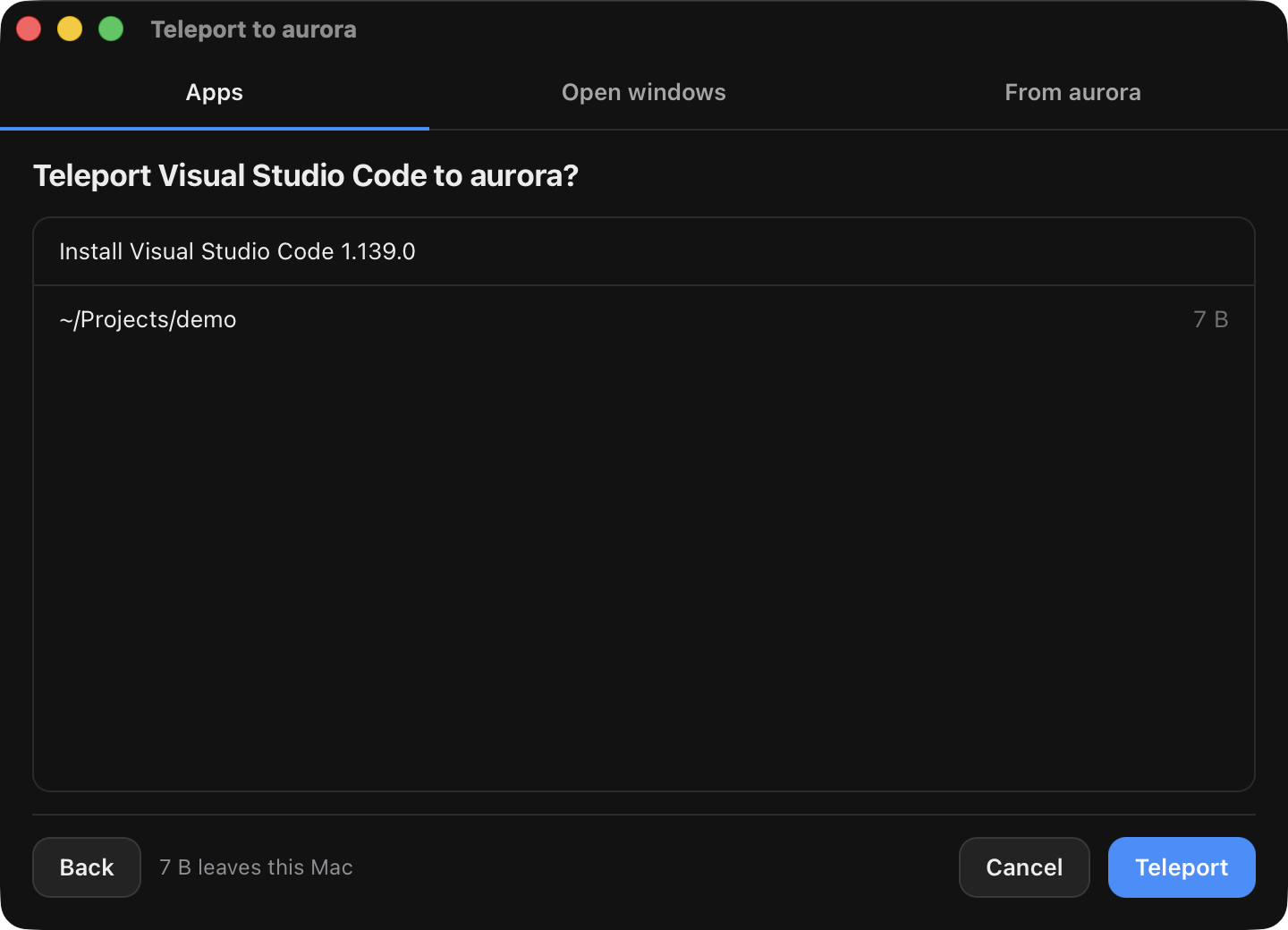
Before anything runs, the consent screen lists each install (with its pinned version and checksum), each host file or folder, and each state item. Secrets (cookies, tokens, logins) need an explicit acknowledgement, and on macOS the OS asks for Touch ID or your password before they are read.
For a browser (Chrome, Firefox), the app with its signed-in state moves the
tabs, preferences and site data, but no credentials. Three separate opt-ins,
each off until you tick it, add them: Keep me signed in (the session
cookies), Saved passwords and Browsing history. In the SDK these are
the entry's sensitive_groups and TeleportPlanOptions.sensitive_groups.
Chrome (and Chromium) encrypts cookies and saved passwords at rest with a per-machine Safe Storage key held in this Mac's login Keychain, so they cannot simply be copied to another machine. When Keep me signed in is checked, teleport decrypts the cookies here (the OS asks you to allow that Keychain read) and carries the decrypted values, not the source machine's key; the Space re-encrypts them under its own Safe Storage key before Chrome ever reads them. The source's key never leaves this Mac.
For Chrome, Saved passwords here still moves Login Data as an encrypted
file, which only a Chrome that already shares this Mac's Safe Storage key can
read -- a Space's Chrome does not, so a password moved this way does not yet
decrypt there. (For Firefox, Saved passwords decrypts here with the
profile's own key4.db master key and re-encrypts under the destination
profile's own key, the same way as Keep me signed in, so it does decrypt
there -- unless a master password is set, which is refused rather than
guessed at.) To actually sign in with a saved Chrome password, use the
Keyvault (cua keyvault import-passwords)
instead: it decrypts on import and signs in through site
login, without ever exposing the password to an
agent. Keep me signed in (cookies) does not have this limitation on
either browser.
In Cua Spaces, Keep me signed in lists the browser's sites with counts
(for example github.com, 12 cookies, 3 storage values) so you send the
sites you mean to, not the whole profile. It starts from what you sent to that
Space last time, or from the sites that look like they keep a sign-in; an
identity provider (Google, Microsoft, Apple, Okta) is never picked for you.
Other lines of the consent screen can be turned off one by one. Cookies are
read once to build the list's counts from the plaintext columns of Chrome's
store; nothing is decrypted until you teleport.
If the Keyvault already holds items for the app (from Save to Keyvault), the review can send from the Keyvault instead: you pick from the saved items, nothing is read from this Mac, and macOS does not ask for Keychain access. See Keyvault.
~/Downloads.Files land in ~/Downloads/Teleported in the Space and open in the app.
App teleport runs in the Cua Spaces apps and in the cua that ships with
them (cua teleport, below). It is part of Cua Spaces, source-available under
FSL-1.1-MIT, and not in the open source SDK packages: SDK programs in Python,
TypeScript, Swift or Kotlin reach session teleport through Space.teleport
against the Cua Spaces daemon (below).
To build your own Spaces UI in Swift, the Cua Spaces app export
(CuaSpacesFFI, reference) has the
calls the apps use: Teleport.catalog, plan and run.
import CuaSDK
import CuaSpacesFFI

let tp = cua.teleport()
let options = try await tp.spaceHint(space: space)   // the Space's OS and CPU narrow the catalog
let apps = try await tp.catalog(options: options)
let firefox = apps.first { $0.id == "firefox" }!
let plan = try await tp.plan(app: firefox, space: space, options: TeleportPlanOptions(
    moves: .appWithFiles, files: [notes], launch: false))
for item in plan.consent { print(item.label, item.detail) }   // show these to the user
let report = try await tp.run(plan: plan, space: space,
    consent: TeleportConsent(approved: true), listener: nil)
print(report.sent)
run refuses a plan without approved, and a plan with secrets without
acknowledgeSensitive. Pass a TeleportRunListener for progress events.
TeleportAppPicker from CuaSpacesTeleport is the picker the macOS app uses.
Drops go through Teleport.parseDrop, window drags through
Teleport.startWindowDrag (macOS; Linux and Windows return Unsupported).
For a web UI, @trycua/cua/teleport has the headless picker state machine,
<cua-teleport-picker> and <cua-teleport-drop> web components and
drag-payload helpers over a TeleportHost you provide.
cua keychain on macOS Spaces#Chrome and other Chromium browsers keep their cookie key ("Safe Storage") in
the Keychain. Session teleport installs that key into a keychain that
cua-spacesd owns, ~/Library/Keychains/cua.keychain-db, and pre-authorizes
the browser there. It never reads, writes or deletes anything in the Space's
login keychain, so no password dialog ever appears in a Space nobody is
watching, whether or not the browser was opened in the Space first:
/usr/bin/security raises "security wants to use your
confidential information stored in 'Chrome Safe Storage'" with nobody to
answer it.cua keychain is created with a password the Space knows and is the
first entry on the keychain search list. Browsers look their key up
through the search list and take the first match, so Chrome finds the key
teleport installed before any key it made itself. That key is left alone,
not read and not deleted. Cookies Chrome stored in the Space under its own
key before the teleport do not survive it; the teleport replaces the
session.CUA_ENV_LOGIN_KEYCHAIN_PW,
~/.cua/spacesd/keychain-password, /etc/cua/keychain-password, then the
image's account password).security set-keychain-settings without -l or -u).security call has a 20 second deadline. A call that is stuck
behind a dialog is stopped, the dialog is dismissed, and the teleport fails
with an error that says so instead of hanging.cua keychain.To move only an app's signed-in state (scope tabs or full) into a Space,
with an approval callback. Space.teleport asks the Cua Spaces daemon, which
runs teleport; an SDK runtime without Cua Spaces raises
HostCapabilityMissing.
import cua

class AskUser(cua.TeleportApprover):
    def approve(self, manifest):
        print([(i.relative_path, i.is_sensitive) for i in manifest.items])
        # include=None: the default selection. A list: exactly those items.
        return cua.TeleportDecision(include=None, acknowledge_sensitive=False)

receipt = await space.teleport("firefox", "tabs", AskUser())
print(receipt.transferred_paths, receipt.launched)
The Rust tab is from the examples in other languages; the Swift tab is from Cua Bots, which teleports a saved sign-in the user picked.
Returning nothing raises TeleportRefused. Sensitive items need
acknowledge_sensitive=True. MCP tools: teleport_manifest, teleport_app.
From the CLI. cua teleport runs in the cua that ships with the Cua Spaces
apps; a cua installed on its own hands the command to that one, or fails
with an error that says where it ships.
cua teleport providers                          # apps this machine can teleport
cua teleport manifest --app firefox --scope tabs
cua teleport push --app firefox --sandbox dev
cua teleport push --app com.google.Chrome --url http://10.0.0.5:3211 --token "$TOKEN" \
--profile "Profile 1" --progresspush is your approval and prints what it sends and leaves behind.
--include PATH picks items, --all sends everything, --no-launch imports
only. --sandbox NAME routes through your own Cua Keyvault
(one combined Touch ID prompt for the whole capture-and-deliver, and nothing
raw ever leaves it); --url uploads a bundle straight to a spacesd endpoint
the Keyvault does not manage as a Space, so it never goes through the vault.
A teleported session is a live sign-in that anyone controlling the Space can
use. Teleport only into Spaces you own, and prefer tabs.